What is Packshot Photography?
A Complete Guide for E-Commerce Brands
Everything you need to know about packshot photography — types, specs, costs, and how professional editing makes your product listings convert.
Table of Contents
- What is Packshot Photography?
- Types of Packshot Photography
- Packshot vs Standard Product Photography
- Why Packshot Photography Matters for E-Commerce
- Marketplace Specs: Amazon, Shopify, Zalando
- What Happens in Professional Packshot Editing?
- How Much Does Packshot Photography Cost?
- Should You Outsource Packshot Editing?
- FAQ
What is Packshot Photography?
Packshot photography is a specific type of commercial product photography where a product — either alone or with its packaging — is photographed in a controlled studio environment against a clean, neutral background. The purpose is simple: show the product clearly, consistently, and without distraction.
The name comes from "packaging shot" — originally used in print advertising and catalog publishing where brands needed clean, isolated images of products and their packaging. Today, packshot photography is the backbone of every major e-commerce marketplace: Amazon, Shopify, Zalando, ASOS, and retail catalog publishing all require packshot-style images as the primary product image.
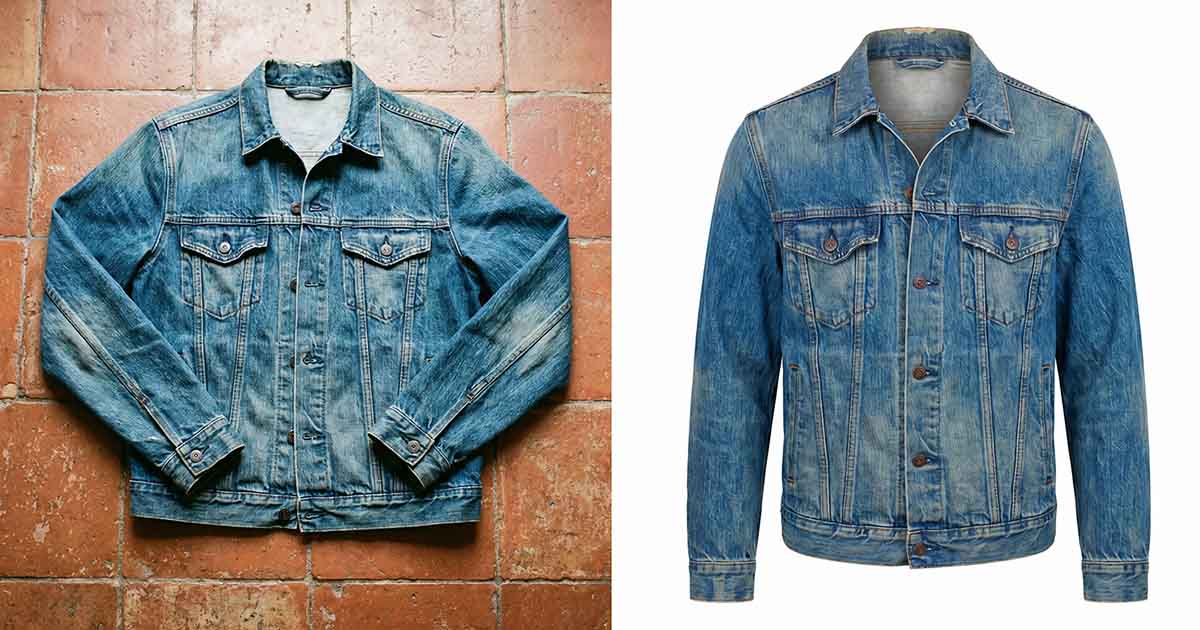
What makes a packshot different from other product photography is its focus on accuracy over aesthetics. A lifestyle photo tells a story. A packshot shows the truth — the exact shape, color, label, and detail of the product so the buyer knows precisely what they're purchasing.
Types of Packshot Photography
Not all packshots are the same. The type of packshot you need depends on your product category, marketplace requirements, and catalog purpose.
Simple Pack Shot
Single product on white background. Most common for Amazon main image, Shopify hero, and catalog pages.
Multi-Angle Packshot
Front, back, side, top, detail — full 360° product view. Required for apparel, footwear, and electronics.
Ghost Mannequin Packshot
Garment photographed on mannequin, then mannequin removed in post to create a 3D hollow shape.
Flat Lay Packshot
Product photographed flat from directly above. Common for apparel, accessories, and cosmetics.
Bottle / Cosmetic Packshot
High-detail label clarity, reflection control, and liquid translucency editing for beauty and beverage brands.
Jewelry Packshot
Macro-level editing — surface polish, reflection control, gemstone color accuracy for premium product lines.
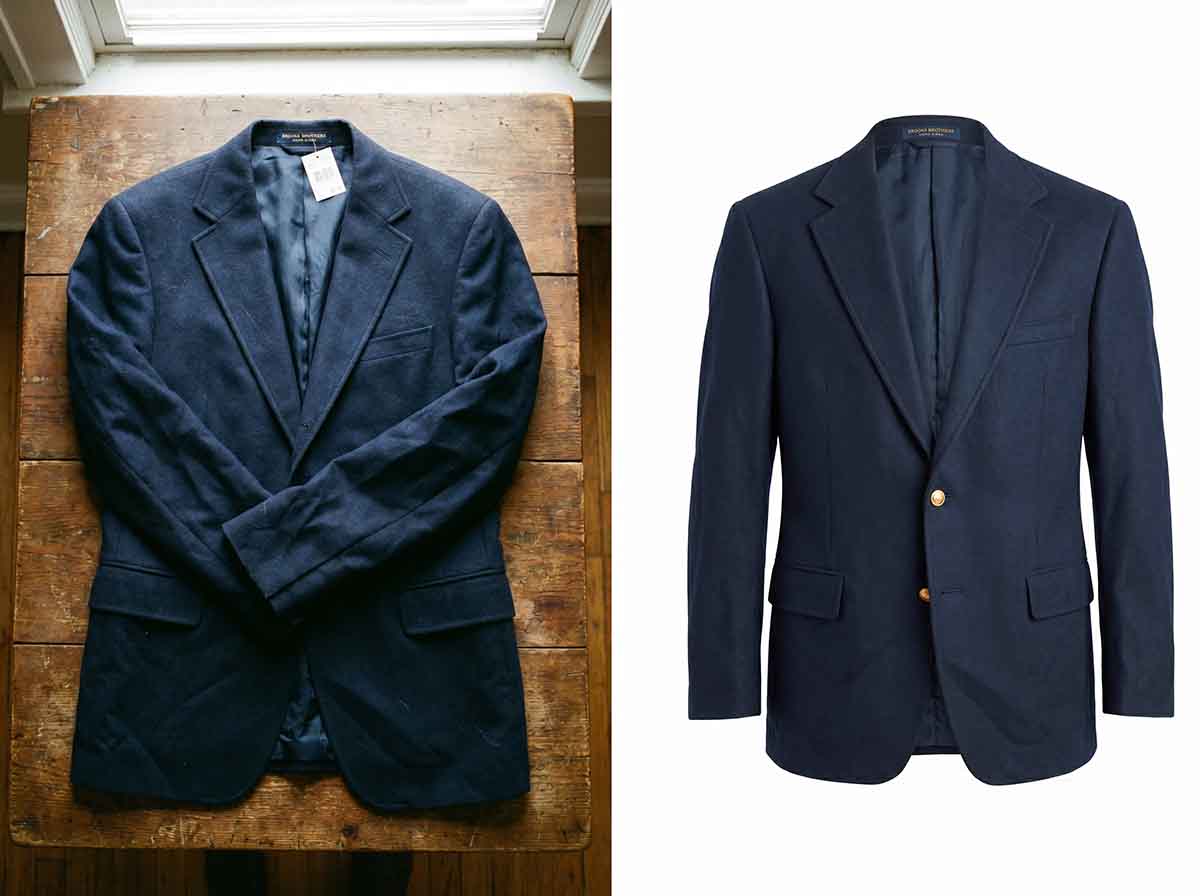
Each type requires a different post-production approach. A ghost mannequin packshot involves mannequin removal and composite work. A bottle packshot requires precise reflection editing. This is why professional packshot editing matters — the same batch processor cannot handle all product types correctly.
Packshot Photography vs Standard Product Photography
Many brands confuse packshot photography with general product photography. They're related — but not the same.
| Factor | Packshot Photography | Lifestyle Product Photography |
|---|---|---|
| Background | Pure white or solid neutral | Styled scenes, props, settings |
| Purpose | Marketplace compliance + catalog | Brand storytelling + social media |
| Focus | Product accuracy — shape, color, label | Emotion, context, aspiration |
| Post-production | Background removal, color correction, shadow, crop standardization | Color grading, compositing, retouching |
| Amazon main image? | ✓ Required | ✗ Not allowed |
| Catalog / print? | ✓ Standard format | ✓ Depends on use |
| Cost to produce | Lower — controlled studio conditions | Higher — location, props, styling |
Why Packshot Photography Matters for E-Commerce
Poor packshot images don't just look bad — they directly cost you money. Here's what the data shows about product imagery and conversion rates.
Amazon Listing Performance
Amazon's A9 algorithm factors in click-through rate when ranking listings. A clean, professional packshot on a pure white background gets more clicks than a dull or inconsistent image. More clicks → better rank → more sales. The packshot is the first thing a buyer sees in search results — it's the difference between a scroll-past and a click-through.
Brand Consistency at Scale
If you're selling 50, 500, or 5,000 SKUs, consistency matters. When your catalog images look like they were taken in 12 different lighting setups with 4 different cameras, buyers notice — even if they can't articulate why. Professional packshot editing standardizes exposure, white balance, crop position, and shadow direction across your entire catalog so every product looks like it belongs to the same brand.
Returns Reduction
One of the biggest causes of e-commerce returns is buyers receiving a product that looks different from the photo — wrong color temperature, misleading scale, inaccurate texture. Accurate packshot photography reduces this gap between expectation and reality, which reduces return rates.
Marketplace Specs: Amazon, Shopify, Zalando
Every major marketplace has specific technical requirements for packshot images. Getting these wrong means your listing gets suppressed or your images get rejected.
Amazon Packshot Requirements
- Pure white background — RGB 255, 255, 255
- Product must fill at least 85% of the image frame
- No watermarks, logos, text, or graphics on main image
- Minimum 1000px on longest side (recommended: 2000px+)
- JPEG, PNG, TIFF, or GIF format accepted
- No mannequins, no props, no humans in main image (category-dependent)
Shopify / D2C Brand Packshots
- White or light neutral background (consistent across all products)
- Square ratio (1:1) for most themes — 2000 x 2000px recommended
- Consistent crop position — subject centered or at consistent offset
- PNG with transparency for layered design flexibility
Zalando / ASOS / European Marketplace
- Ghost mannequin or flat lay accepted for apparel
- White or light grey background
- High resolution — 762px minimum width, recommended 1500px+
- No brand watermarks on main image
- Specific crop ratios per category (2:3 for apparel)
What Happens in Professional Packshot Editing?
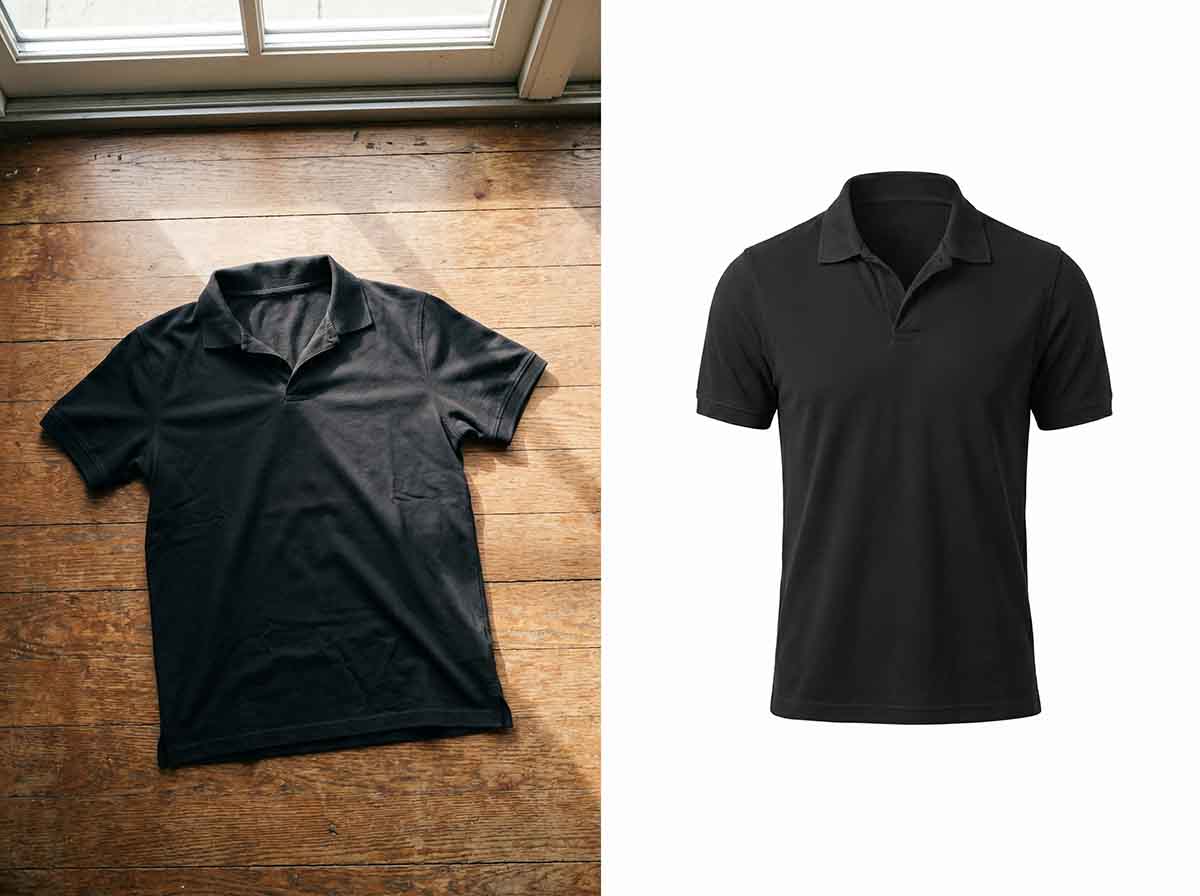
A raw packshot from the photographer is not ready for marketplace listing. Professional packshot editing involves a series of precise post-production steps that transform a raw studio image into a marketplace-ready asset.
-
Background Removal
Manual clipping path or masking in Photoshop. Not auto-removal tools — manual path ensures clean edges around complex subjects like hair, jewelry chains, and fabric fringes.
-
Color Correction & White Balance
Correcting color temperature to match the physical product. Matching white balance across all angles and SKU variants so the same product looks identical from every shot.
-
Background Replacement
Replacing the original background with pure white (RGB 255,255,255) or transparent — depending on the output destination.
-
Shadow Addition
Natural drop shadow or reflection shadow added to ground the product visually and prevent the "floating" look on white backgrounds.
-
Crop & Resize to Spec
Cropped to the correct ratio and resized to marketplace specification. Product centered, filling minimum 85% of frame for Amazon compliance.
-
Retouch & Cleanup
Dust removal, wrinkle removal on fabric, surface blemish cleanup, label sharpening — specific to product category and client requirements.
-
Consistency Check
Final check across all angles and variants — exposure, color, shadow direction, crop position all matched before delivery.
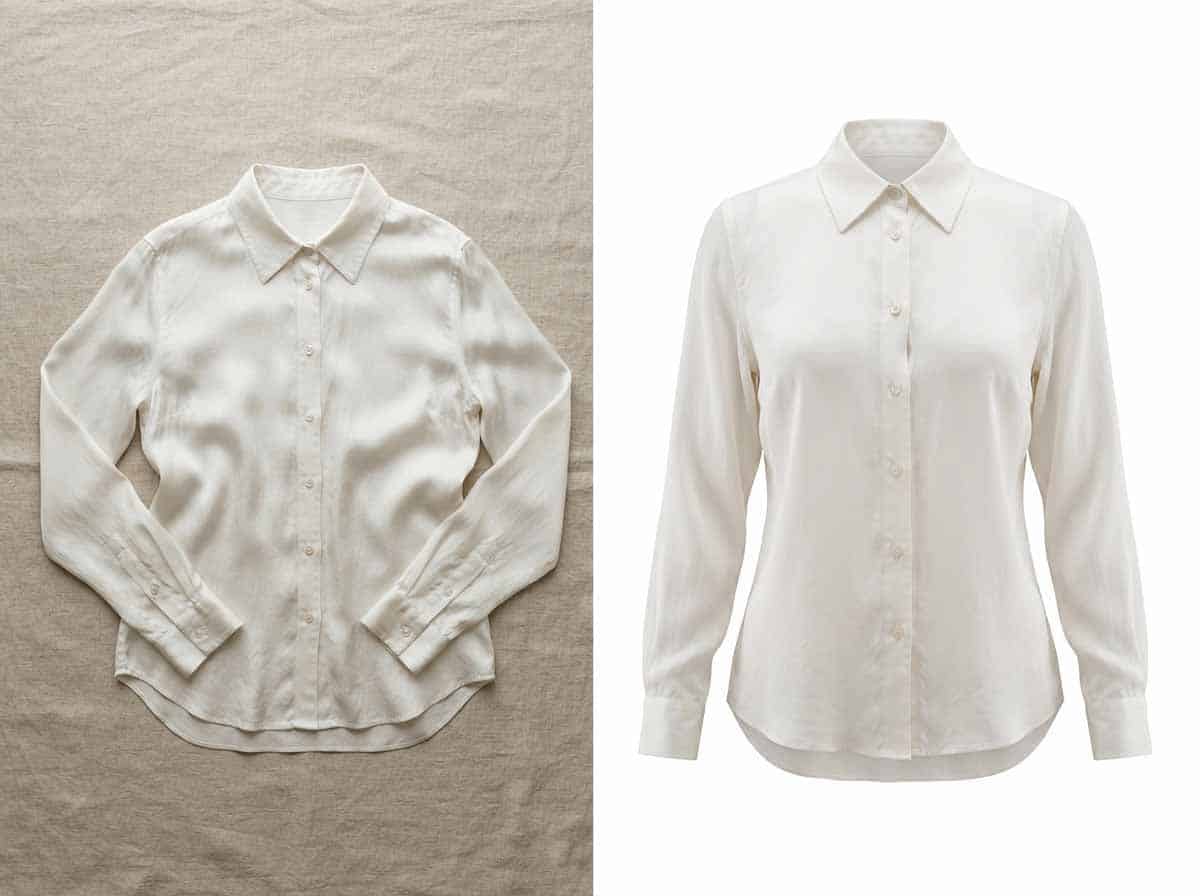
At Creative Edit Zone, every packshot is edited manually in Photoshop by an experienced retoucher. No AI batch processing. No automated background removal with jagged edges. Manual editing ensures the quality that marketplace listings demand — and that your competitors using auto-tools aren't delivering.
How Much Does Packshot Photography Cost?
Packshot photography costs vary depending on whether you're pricing the shoot or the post-production editing. Most e-commerce brands already handle the photography in-house or with a local studio — what they outsource is the editing.
| Service | In-House Cost (est.) | CEZ Outsourced Cost |
|---|---|---|
| Basic packshot editing (per image) | $8–$15 (editor time) | From $2.00 |
| Multi-angle packshot set | $40–$90 (per set) | From $2.00/image |
| Ghost mannequin packshot | $15–$25 (per image) | From $2.00 |
| Formalwear / suits packshot | $20–$35 (per image) | From $4.00 |
| Monthly retainer (100+ images/mo) | $3,000–$5,000 (salary) | From $499/month |
Should You Outsource Packshot Editing?
If you're producing more than 20–30 product images per month, the answer is almost always yes. Here's a quick framework for deciding.
Outsource packshot editing if:
- You're spending more than 2 hours per day on product image editing
- Your catalog has 50+ SKUs with multi-angle shots
- Your marketplace listings have been rejected for image compliance issues
- You're launching on a new marketplace with different spec requirements
- Your in-house team is inconsistent across angles and variants
- You need faster turnaround than your internal team can deliver
Keep in-house if:
- You produce fewer than 20 images per month
- You have a dedicated editor already on salary with spare capacity
- You have highly specialized requirements that require constant real-time feedback
For most growing e-commerce brands and photography studios, outsourcing packshot editing to a specialist studio like Creative Edit Zone delivers better consistency, faster turnaround, and significantly lower cost than any in-house alternative.
Frequently Asked Questions
Need Professional Packshot Editing?
Send 2–3 images for a free trial. Manual Photoshop editing, 12–24h delivery, marketplace-ready output.
Get Free Packshot Trial → View Service PageLet's work together
Send us your project details and we'll get back to you within 2 hours. Or start with a free trial — 3–5 images on us.
Comments 0